
Ramat · Catalan for “herd”
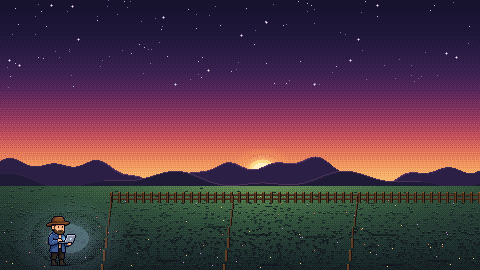
You are the shepherd. Claude Code* agents are your herd.
Every Claude Code* session, on every machine, live in one place: who is working, who is waiting for you, who fell asleep.
Open by invitation · macOS, Linux and Windows
2 farms · 5 animals · 1 waiting
laptop macOS · 3 animals
- api-refactorEdit handlers.goWorking api-refactorAllow Bash: go test ./...?Waiting
- docs-siteCompacting · 162k tokensCompacting
- ↳ Exploresubagent · Grep "render"Working
build-server Linux · 2 animals
- migrate-dbidle for 2 hAsleep migrate-dbBash make migrateWorking
- scratchno plugin · seen by the scanUntracked
01
Farms, herd
and shepherds.
Three words, and you know how Ramat works.
- laptop3 animals
- build-server2 animals
- office-mac4 animals
- Farms
- Each machine where Claude Code* runs is a farm. The Ramat agent lives there like a sheepdog: it watches every session, works out its state on the spot and reports back, sealed with your key. macOS, Linux and Windows.
- The herd
- Each Claude Code* session is an animal of the herd, with its subagents, tokens, context and transcript. It belongs to a family: personal, work, a client. Each family picks its animal: sheep, cows, horses, pigs, goats, chickens, turkeys or rabbits.
- Shepherds
- The Ramat app on your Mac or Windows PC is a shepherd. It sees the whole herd, from every farm, the moment something changes. It does not only watch: it answers, talks to a session and brings an animal home.
02
Every animal,
at a glance.
No more jumping between terminals to find the one that waits for you.
Working
Busy with your prompt. You see the tool it uses right now.
Waiting for you
Its turn is done, or it needs a permission or an answer.
Asleep
Nothing to do for a while. It waits until you come back.
Never lost
A session without the plugin still shows up, marked as untracked.
03
Lead the herd
from one place.
Watching is only the start. Act on any session, on any farm, without opening its terminal.
-
Answer from the app
A session asks for a permission, or asks you a question? Allow, deny or pick an option from the app. The terminal asks at the same time: the first answer wins.
-
Talk to any session
Type a message into a running session, as if you sat at its keyboard. From the sofa, from another room, from another machine.
-
Read along, live
The whole conversation, tool calls included, as it happens. Decrypted only in your app.
-
Tokens and context
Model, token use and how full the context is, for every session. Compacting shows up as its own state.
-
Every subagent
Subagents show under their session, with their task and the tool they use.
-
Bring an animal home
A session hangs on a farm across town? Close it from the app. It asks first when the session is still working.
-
And the rest of the farm
- An overview card for every farm
- History of the sessions that ended
- Rename or revoke a farm in one click
- An animal for each family
- Light and dark, like your Mac
- Agents and app update themselves
04
Locked
by default.
Your prompts, your code and Claude*'s answers are sealed on your machine, before they leave it. The server keeps them, but it cannot read them.
What the server stores
- State
- Waiting
- Tool
- Bash
- Title
- YWvwAQMDNSMoumrtayZfgLAdgmbg2Q==
- Prompt
- D+rlFKf8sNbewZpdJo7K/4IlQI1YpxSkgUjxXAUu4LDehKupWZ/xyw==
- Answer
- fJlwiwXAY/RfjuFaSHIZOb5/SULgNxyd3DzYqu5c
What your shepherd shows
- State
- Waiting
- Tool
- Bash go test ./auth/...
- Title
- Fix the flaky login test
- Prompt
- The login test fails one time in ten on CI. Find out why.
- Answer
- It depends on the clock. I will fix the test.
- End to end, from day one
- Transcripts, prompts, tool output and session names are sealed on the farm with your key: X25519, HPKE and ChaCha20-Poly1305, standard building blocks only. Every family, unless you choose otherwise.
- Your key stays yours
- The app makes it. Your passphrase protects it (Argon2id), and on your Mac it sits behind the Secure Enclave. The server keeps a copy it cannot open, so your other Macs can unlock it.
- Only you give orders
- Every answer, message or close from the app is signed with your key (Ed25519). The server cannot make one. A sheepdog refuses a command that is unsigned, old or seen before.
- One key, pinned
- Each sheepdog pins your key the first time it sees it. If another key ever shows up, it seals nothing to it and takes no orders.
- Each farm has its own ID
- Every machine talks to Ramat over mutual TLS, with its own certificate. Revoke a farm and it is out.
- Signed updates
- Agents and app only install builds from a signed manifest, checked by SHA-256, and never an older one.
What stays readable, so the herd works without your key: state, tool names, times, model and token counts. Environment variables never leave a farm.
05
Your families,
your rules.
Each farm decides what leaves it, family by family. The server cannot change that.
- Mark your herd. A folder rule puts each session in a family: personal, work, a client. One farm can keep several families, and each family its own animal: cows for work, sheep for the rest.
- Choose what leaves. Per family: everything, titles, metadata only, or nothing at all. Environment variables never leave the farm.
- Sealed unless you say so. Every family is encrypted end to end. Open one up only if you want the server to search it.
What your shepherds see sealed end to end
- State
- Waiting
- Title
- Fix the flaky login test
- Tool
- Bash go test ./auth/...
- Prompt
- The login test fails one time in ten on CI. Find out why.
- Context
- 58,204 tokens · 31%
Nothing leaves. The animal stays home, and your shepherds do not know it exists.
06
Bring your
herd home.
Three steps. You need an account first: Ramat is open by invitation.
- Get an invite. Open your invite link and create your account.
- Open the shepherd app and make your key. Download it for Mac or Windows, open it, log in and choose Encryption. A Mac with Apple silicon and macOS 15 or later, or Windows 10 or 11.
- Put a sheepdog in each farm. On every machine with Claude Code*. Make your key first: a sheepdog without it sends no content at all.
# 2 · the shepherd app: the download below, or
$ curl -fsSL https://raw.githubusercontent.com/alberthorta/ramat-releases/main/install.sh | sh -s viewer

# 3 · a sheepdog in each farm
$ curl -fsSL https://raw.githubusercontent.com/alberthorta/ramat-releases/main/install.sh | sh -s agent
$ claude plugin marketplace add alberthorta/ramat-releases
$ claude plugin install ramat@ramat
$ ramat login# 2 · the shepherd app on Windows
> iex "& { $(irm https://raw.githubusercontent.com/alberthorta/ramat-releases/main/install.ps1) } viewer"
# 3 · a sheepdog in each Windows farm
> irm https://raw.githubusercontent.com/alberthorta/ramat-releases/main/install.ps1 | iex
> claude plugin marketplace add alberthorta/ramat-releases
> claude plugin install ramat@ramat
> ramat loginNot notarized by Apple yet, so the first time macOS stops it: open System Settings › Privacy & Security and choose Open Anyway. It updates itself after that.
A zip with Ramat.exe: unzip it to a folder of yours and open it. Not signed yet, so Windows may stop it the first time: choose More info › Run anyway. It updates itself after that. For a PC with an ARM chip: ARM64. The PowerShell command above also adds it to the Start menu.